What does IPTV mean?
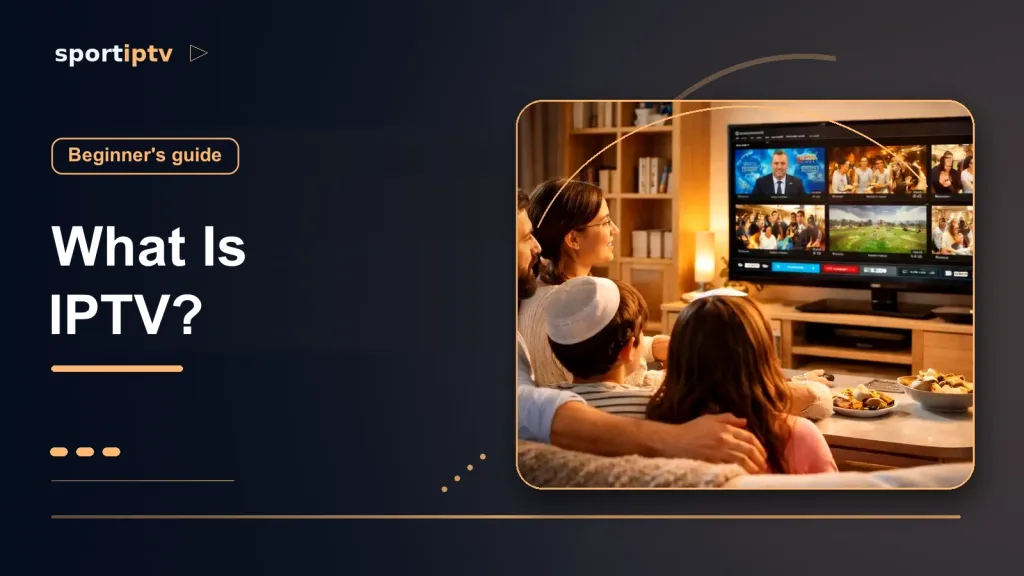
IPTV stands for Internet Protocol Television. "Internet Protocol" is simply the language every device on the internet speaks, so IPTV means TV that travels as internet data. Each channel is a video stream sent from the provider's servers to your device, much like a video on a streaming website — except that IPTV is organized like real television, with a channel list, a program guide and live broadcasts happening in real time.
You will sometimes hear IPTV called "internet TV" or "live TV streaming". Technically, many big streaming apps also use internet protocol, but in everyday language "IPTV" means a service that gives you hundreds of live channels plus an on-demand library inside a player app you choose yourself.
How does IPTV work?
- The providerEncodes live channels and on-demand content and serves them from its servers over the internet.
- Your loginYou receive either Xtream Codes details (server URL, username, password) or a single M3U link.
- The player appAn app on your device — such as TiviMate, IBO Player, IPTV Smarters Pro or Televizo — reads your login and builds the channel list.
- Your internetWhen you pick a channel, the player requests that stream and plays it, usually within a second or two.
The important idea: the player and the subscription are two different things. The player is the remote-friendly interface; the subscription is what provides the channels. That is why you can switch players without changing provider.
IPTV terms you will see
| Term | What it means |
|---|---|
| M3U / M3U8 | A playlist file or link that lists every channel and where to stream it. Full M3U guide |
| Xtream Codes | A login with a server URL, username and password; loads channels, guide and VOD automatically |
| EPG | Electronic Program Guide — the TV guide inside the player |
| VOD | Video on demand: movies and series you start whenever you like |
| Catch Up | Rewatch shows that aired on a channel in the past few days (on supported channels) |
| Player | The app you watch in; it contains no channels by itself |
| Screens / connections | How many devices can watch at the same time on one plan |
IPTV vs. cable, satellite and streaming apps
| IPTV | Cable / satellite | Streaming apps | |
|---|---|---|---|
| How it arrives | Over your internet | Coax cable or dish | Over your internet |
| Live channels + guide | Yes | Yes | Usually no |
| Movies and series on demand | Yes | Limited | Yes |
| Hardware | Device you already own | Rented box per TV | Device you already own |
| Setup | Install an app | Often a technician | Install an app |
| On your phone outside home | Yes | Limited | Yes |
Think of IPTV as the live-TV experience of cable with the flexibility of streaming apps: you keep channel surfing and a TV guide, but you are not tied to a box, a room or a long contract.
What you need to watch IPTV at home
- An internet connection: about 5 Mbps per Full HD screen and 15 Mbps per 4K screen, plus headroom for the rest of the house.
- A device: a Fire TV Stick, a Samsung or LG smart TV, an Apple TV or iPhone, an Android TV box, or a computer.
- A player app: see the best IPTV players to pick one for your device.
- A subscription: the login details from your provider. You can start with a free trial.
How do you get IPTV? Step by step
- Pick the screen you watch mostUsually the living-room TV. A Firestick or Android TV box gives the most player choice.
- Request a trialSend the ready-made WhatsApp message; a representative answers with login details for your device.
- Install a playerFrom your device's app store, or via Downloader on a Firestick.
- Enter the loginChoose Xtream Codes if your player supports it; otherwise paste the M3U link.
- Wait a minuteThe first load pulls the channel list and the TV guide.
- Test on a busy eveningWatch live sports or news at prime time to see how it performs on your network.
Live TV, VOD and Catch Up explained
Live TV works like any TV channel: what you see is happening now, including sports in real time. VOD is a library — pick a movie or an episode, pause it, come back later. Catch Up sits in between: on channels that support it, you open the guide, scroll back to a show that already aired and play it from the start.
Most players show these as separate tabs: Live TV, Movies, Series and Catch Up. Xtream Codes logins fill all of them automatically; an M3U link may only include live channels.
Picture quality: HD, Full HD and 4K
Picture quality depends on three things: the stream itself, your internet and your device. A 4K stream needs a 4K TV, a 4K-capable streaming device and about 15 Mbps per screen. If your Wi-Fi is weak, the player may stutter or drop to a lower quality. A wired Ethernet connection to the main TV solves most of these issues — more in IPTV in 4K and IPTV buffering fixes.
Common misconceptions about IPTV
- "The app comes with channels." It does not. Players like TiviMate or IBO Player only play the subscription you add.
- "You need special hardware." You do not — a $30 streaming stick or the smart TV you already own is enough.
- "IPTV only works on one TV." Plans cover 1 to 5 screens at the same time.
- "Buffering means the service is bad." Often it is the home Wi-Fi. Test with a cable first.
Ready to try it?
The quickest way to understand IPTV is to see it on your own TV. Request a free trial, and read our complete guide to IPTV in the USA for prices, devices and what to check before choosing a service.
A short history of internet TV
Television over internet protocol is not new. Phone and broadband companies started delivering TV over their own networks in the early 2000s, and some still do. What changed in the last decade is that home internet became fast enough — and streaming devices cheap enough — that IPTV no longer needs a special set-top box from the internet provider. Today a $30 streaming stick and a standard broadband plan are enough for hundreds of live channels in HD.
At the same time, apps became much better. Players like TiviMate brought cable-style guides to Android TV, smart TVs added their own app stores, and phones turned into capable TV screens. That is the IPTV most people mean today: a subscription you add to an app of your choice, on any screen you own.
Who is IPTV a good fit for?
- Cord-cutters who miss live channels and a TV guide after cancelling cable.
- Sports fans who want games from several leagues without juggling apps — see IPTV for live sports.
- Families who want one plan for the living room, the kids' room and phones.
- People with roots abroad who want TV from home — for example Israeli channels in the USA.
- Renters and people who move often, because there is nothing to install on the wall and no box to return.
IPTV is less ideal if your home internet is very slow or unreliable. In that case, fix the connection first; the buffering guide explains what to check.
Keep your IPTV login safe
Your login details or M3U link work like a password. Anyone who has them can use the screens on your plan, which can push you over your limit and cause playback to stop. Do not post them in groups or forums, install players only from official stores, and if you think the details leaked, ask a representative to change them.
Questions
What is IPTV in simple terms?
TV delivered over the internet instead of cable or satellite. You watch live channels and on-demand content in an app on your TV, streaming stick, phone or computer.
How do I get IPTV on my TV?
Install a player app on your smart TV or on a streaming device like a Firestick, enter the login from your IPTV provider, and the channels load in about a minute.
What is the difference between IPTV and streaming apps?
Streaming apps mostly offer an on-demand library. IPTV adds live channels with a TV guide — news, sports and entertainment — plus a movie and series library.
Is an IPTV app the same as an IPTV service?
No. The app is the player. The service (subscription) provides the channels you add to the player.
How much internet does IPTV use?
Roughly 5 Mbps per Full HD screen and 15 Mbps per 4K screen while you watch.
What is an IPTV player?
An app such as TiviMate, IBO Player, Televizo or IPTV Smarters Pro that reads your login and shows the channels, guide and VOD.
Can I watch IPTV on my phone?
Yes. Most players have iPhone and Android versions, and the same subscription works there within your number of screens.