01
Easy to start
A short, clear sign-up with a real person helping on WhatsApp.
All the channels.
Everything you care about.
Live sport, movies and series — one subscription, every screen
Live TV, cricket and sports, movies, series and family favourites — one smooth experience, built for every device in your home.



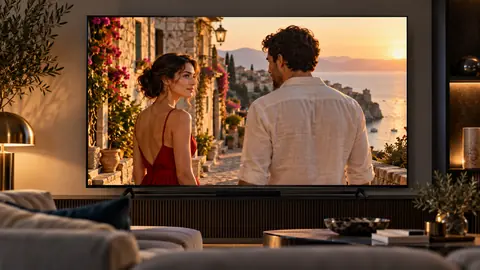 Series · New season
We built a clear experience that starts with the right choice and keeps going with support whenever you need it.
A short, clear sign-up with a real person helping on WhatsApp.
Pick a period and a number of screens, and let the whole household enjoy it.
Clear pricing, free choice, and terms of service available before you begin.
Simple setup. Better experience. No unnecessary friction.
Live cricket, big football nights, movie time with the family or the next season of your favourite series — one viewing experience, in every room of the house.

From the first ball to the final over — live, in a quality that suits your screen.
Live sport, movies and series — one subscription, every screen
Cricket, football and more — live on every screen.



Want to see how it looks at your place?
Get a free trialToday's biggest matches for India — on Telegram
Every morning our free channel picks the day's biggest events for Indian fans — cricket first, the IPL and India's internationals, plus ISL football and F1 — in IST, with a short reminder before the ones that matter most.
Choose how many devices and for how long. A representative confirms everything on WhatsApp before you pay.
≈ ₹1,020/month
Save 31%≈ ₹753/month
Save 49%≈ ₹517/month
Save 65%Prices in INR are converted from our base price list. The exact amount is confirmed before you pay.
Smart TV, streamer, phone or tablet — a representative will confirm compatibility with your device and point you to the right setup.
Smart TVs
Smart TV setup guideStreamer + remote
TVs and streamers
Android TV setup guideHDMI stick
Fire TV setup guideWatch anywhere
iPhone & iPad setup guidePhones and tablets
Android setup guideNot sure your device works?
Check compatibility on WhatsAppA great starting point for solo viewing.
Choose a period and number of screens that suit how you watch.
Tap WhatsApp and a representative replies with availability and the details that matter.
Once your sign-up is confirmed, you get instructions matched to your device.
Request a free trial in a short WhatsApp chat. A representative will check availability and device fit with you — no commitment and no charge on the site.
Setup for Android TV, Google TV, Mi TV, Fire TV, Samsung and LG TVs, phones and PCs — plus fixes for buffering, Wi-Fi and slow apps.
Xiaomi, OnePlus, TCL and Sony TVs, Mi TV Stick and boxes — the most common way to watch IPTV in India.
Read the guideLite, 4K Max, 4K Plus or 4K Select — check your model, add a player and sign in.
Read the guideTizen and webOS have their own app stores — here’s how to find a player and activate it.
Read the guideAndroid or iPhone: install a player, sign in, cast to the TV — and keep an eye on mobile data.
Read the guideSend one WhatsApp message, get set up on your device, then test it during a big match.
Read the guideInstall a player on Chromecast with Google TV — and what the older, cast-only Chromecast can do.
Read the guideXiaomi quirks covered: PatchWall vs Google Play, installing apps, remote pairing and speed.
Read the guideWindows or Mac: install a player, add your list, and fix stuttering.
Read the guideSimultaneous screens explained: how many your home uses, the Mbps needed and plans for 1 to 5 screens.
Read the guideRouter placement, power cuts, Wi-Fi bands and the player settings that stop most freezes.
Read the guideStep-by-step for Android TV, Google TV and Mi TV — and cache vs data.
Read the guideError codes, channels not loading, black screen, no sound or an app that won’t open — fixes in order.
Read the guideEight fixes in order for a TV that can’t join the network or keeps dropping.
Read the guideWhen to use a cable, 2.4 vs 5 GHz, and how to improve the signal for streaming.
Read the guideHD, Full HD and 4K: what each screen uses and what your fibre plan can handle.
Read the guideAdd up the screens in your home and see the Mbps you need — or how many screens your plan can handle.
Read the guideWhat it means, how it works, what you need — and how it differs from a TV box.
Read the guideHow each reaches your TV, what you need for each, and what to ask before choosing.
Read the guideWhat still needs a box, what works over the internet, and what you need at home.
Read the guideAbsolutely. Tap WhatsApp, tell us which device you'd like to use, and a representative will get back to you with all the relevant details.
Tap the free-trial button and WhatsApp opens with the message ready to send. A representative checks your device and explains how to start the trial — no card needed.
Smart TVs, Fire TV, Android TV, Apple TV, phones and tablets. In a short chat we’ll confirm your device works and point you to the right option.
Quality is matched to your device and connection — 4K, FHD or HD. A representative will recommend the right setting when you sign up.
Nothing is paid on this website. When you choose a plan, a representative confirms the price, period and payment options on WhatsApp before any charge.
Send a few details and we’ll open a ready-made WhatsApp chat. No commitment and no charge on the site.
Today's biggest matches for India — cricket first — plus setup guides and updates, on our Telegram channel. Join our Telegram channel
The form opens WhatsApp with your message ready to send — what you type here is not sent to us by this website. Terms of use · Privacy policy