What is IPTV Smarters Pro?
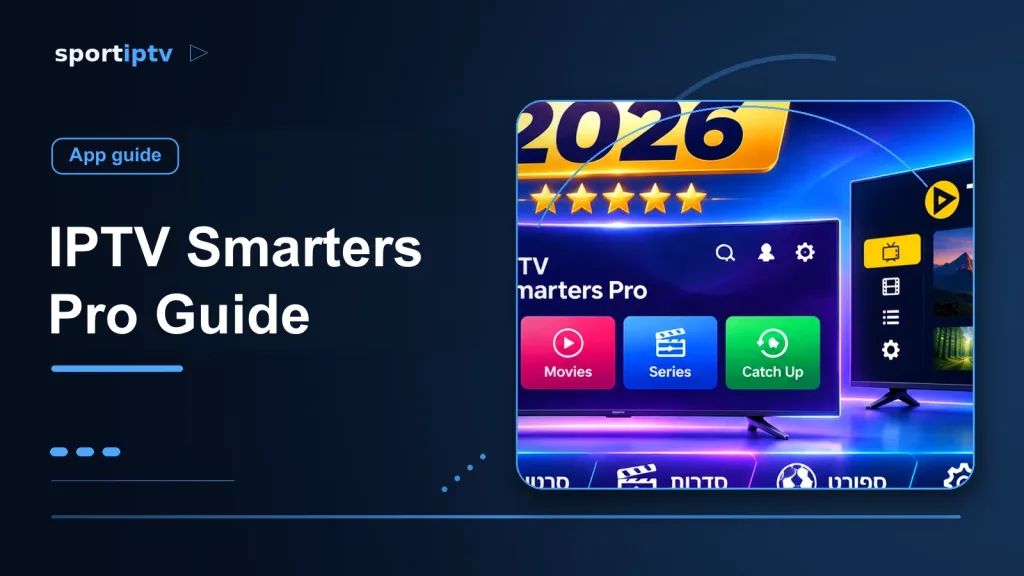
IPTV Smarters Pro is a player app. It does not include any channels — it plays the subscription you add to it. Its home screen is built from large tiles: Live TV, Movies, Series and Catch Up, plus settings, multi-screen and user profiles. Because the same app exists on so many platforms, it is the easiest way to give everyone in the house the same experience on different devices.
Where to download IPTV Smarters Pro
| Device | Where to get it | Notes |
|---|---|---|
| Android phone / tablet | Google Play | Search "IPTV Smarters Pro" |
| Android TV / Google TV | Google Play | Same app, TV layout |
| Amazon Fire TV Stick | Amazon Appstore, or Downloader | Vega OS models install from the Appstore only |
| iPhone / iPad | App Store | iOS version |
| Apple TV | App Store on the Apple TV | tvOS version |
| Windows / Mac | The developer's official website | Desktop version |
| Samsung / LG TV | TV app store, on supported models | Not available on every model |
Download only from official stores or from a link a representative sends you. Copies on random websites can be outdated or modified.
Install IPTV Smarters Pro on a Firestick
- Search the AppstoreFrom the home screen: Find › Search › IPTV Smarters. If it appears, install it.
- Not in the Appstore?Enable app installs under Settings › My Fire TV › Developer options, install Downloader, and enter the download link a representative gives you.
- Open and accept the termsThen continue to the login screen.
Full Fire TV details, including which models block outside installs, are in how to install IPTV on a Firestick.
Log in with Xtream Codes or M3U
- Choose a login typePick Login with Xtream Codes API (recommended) or Load your playlist or file/URL for M3U.
- Name the profileAnything you like — for example "Home".
- Enter the detailsXtream: server URL, username and password. M3U: paste the full link.
- Add userThe app downloads live channels, movies, series and the TV guide.
- Wait for the first loadLarge libraries take a minute or two.
- Type the server URL exactly, including http:// and the port number (for example :8080).
- Usernames and passwords are case sensitive.
- On a TV, typing long links with a remote is slow — use your device's phone remote app to paste text.
Not sure what these terms mean? See What is an M3U playlist.
IPTV Smarters Pro on iPhone, iPad and Apple TV
Install from the App Store, open the app, and log in the same way. On Apple TV the layout adapts to the Siri Remote: swipe to move between tiles and click to select. For AirPlay from an iPhone to a TV, starting the stream on the Apple TV app directly usually gives a steadier picture than mirroring. Step-by-step Apple instructions are in IPTV on Apple TV and iPhone.
IPTV Smarters Pro on Windows and Mac
Download the desktop version from the developer's official site, install it, and log in with Xtream Codes. On a laptop, plug in an Ethernet cable or sit close to the router for the most stable picture. The desktop app is handy for watching a game while you work, or for checking that your login works before setting up the TV.
Best IPTV Smarters Pro settings
- Settings › Player selection: try the built-in player first; if some channels show sound but no picture, switch to the alternative player.
- Settings › EPG timeshift: adjust if the guide is an hour off for your time zone.
- Settings › Parental control: set a PIN to hide adult categories from kids' profiles.
- Favorites: long-press a channel and add it, so your daily channels are one click away.
- Multi-screen: on supported devices, watch up to four channels at once — each one counts as a screen on your plan.
- Refresh: use the reload icon on the home screen after the provider updates your lineup.
IPTV Smarters Pro not working? Fixes by symptom
| Symptom | What to try |
|---|---|
| "Invalid credentials" or login failed | Re-type the server URL, port, username and password; check the account is active. |
| Stuck on "Downloading live channels" | Wait two minutes; clear the app cache; restart the device. |
| No TV guide | Use Xtream Codes login, then refresh EPG; check the timeshift setting. |
| Sound but black screen | Change the player in Settings › Player selection. |
| Freezing or buffering | Use Ethernet or 5 GHz Wi-Fi; see the buffering fixes. |
| App crashes on open | Update the app; clear its cache; reinstall as a last resort. |
More detail on login and playlist errors is in IPTV not working, and on stuttering pictures in IPTV buffering fixes.
IPTV Smarters Pro vs. other players
On a Firestick or Google TV, TiviMate offers a better TV guide and faster zapping. On Samsung and LG TVs, IBO Player is available on more models. Smarters Pro wins when you want one familiar app across iPhone, Apple TV, computers and Android. Full comparison: best IPTV players 2026.
Get a login to test it
IPTV Smarters Pro needs a subscription to show anything. Request a free trial on WhatsApp, tell us which device you use, and a representative sends Xtream Codes details plus help with setup.
Profiles and multi-screen explained
IPTV Smarters Pro can store several user profiles. Each profile is simply a saved login, so you can keep a "Living room" profile and a "Kids" profile with different favorites and parental settings. Switching profiles takes two clicks from the home screen.
Multi-screen lets you watch up to four channels at once on supported devices — handy when several games kick off at the same time. Keep in mind that each window is a separate stream, so four windows use four screens of your plan and four times the bandwidth. On a typical home connection, two Full HD windows are comfortable; four needs a fast, wired connection.
Setting up parental controls step by step
- Open SettingsFrom the home screen, select the gear icon.
- Choose Parental ControlCreate a PIN code and confirm it.
- Lock categoriesSelect the Live, Movies and Series groups you want to hide behind the PIN.
- Test itGo back to the home screen and open a locked category — it should ask for the PIN.
Movies, Series and Catch Up in Smarters
The Movies and Series tiles show the on-demand library sorted by category, with posters, descriptions and a "continue watching" row. Series are grouped by season and episode. Catch Up lists the channels that support it; pick a channel, choose a day and play a show that already aired. These tabs fill automatically when you log in with Xtream Codes; with an M3U link they may stay empty, which is another reason to prefer Xtream.
Tips for using Smarters with a TV remote
- Use the channel list's search box instead of scrolling through long groups.
- Add your daily channels to favorites and open the favorites group first.
- On a Fire TV, the Alexa voice remote can type text for you in search fields.
- If the menu feels slow, close other apps running in the background and restart the device once a week.
Questions
Is IPTV Smarters Pro free?
Yes, the app itself is free. You add your own IPTV subscription to watch channels.
Where can I download IPTV Smarters Pro?
From Google Play, the Apple App Store, the Amazon Appstore, and the developer's official site for Windows and Mac. Use official sources only.
How do I install IPTV Smarters Pro on a Firestick?
Search for it in the Amazon Appstore. If it is not listed for your device, install it with Downloader using a link from a representative.
How do I log in to IPTV Smarters Pro?
Choose "Login with Xtream Codes API" and enter the server URL, username and password from your provider, or load an M3U URL.
Why is IPTV Smarters Pro not working?
Most often a typo in the server URL or port, an inactive account, or weak Wi-Fi. Re-enter the details, clear the cache and test on a wired connection.
Does IPTV Smarters Pro work on Smart TVs?
On some Samsung and LG models. If it is not in your TV's store, IBO Player or a streaming stick is the alternative.
Does IPTV Smarters Pro include channels?
No. It is a player; channels come from your IPTV subscription.
Can I use IPTV Smarters Pro on Windows?
Yes, there is a desktop version for Windows and Mac on the developer's official website.
Can I watch several channels at once in IPTV Smarters Pro?
Yes, on supported devices with multi-screen. Each window counts as one screen on your plan.
How do I lock adult content in IPTV Smarters Pro?
Open Settings › Parental Control, create a PIN and select the categories to lock.