What is TiviMate?
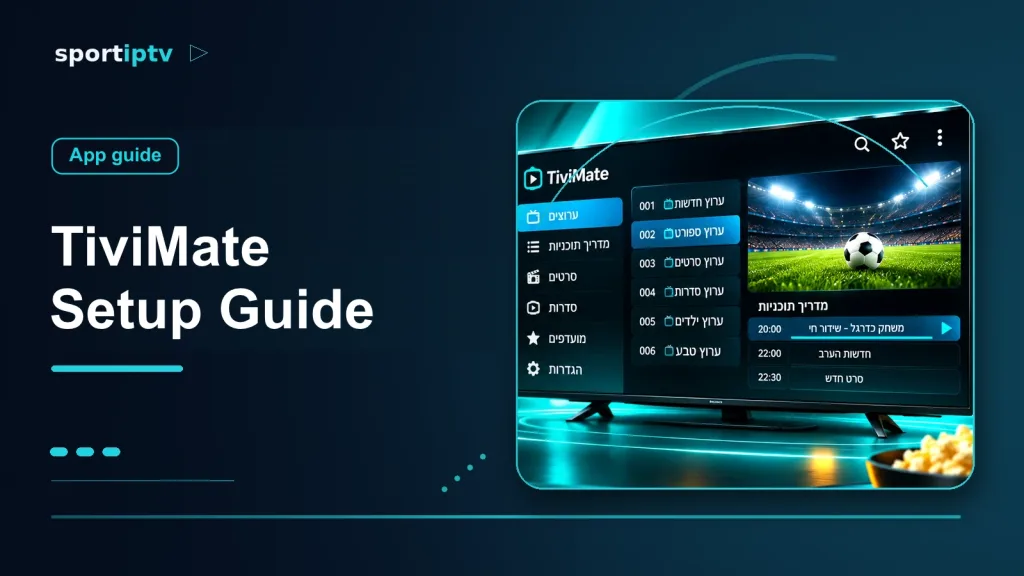
TiviMate IPTV Player is an app for Android-based TV devices. It is a player, not a service: it does not come with channels. You add your own IPTV subscription and TiviMate shows it in a clean, remote-friendly layout — channel list on the side, a live preview, and a full-screen program guide (EPG) that scrolls hours ahead.
That focus on the living-room TV is the reason people pick it. Channel switching is fast, the guide is easy to read from the couch, and favorites, groups and recordings are all a couple of clicks away. If you are still deciding which app to use, our best IPTV players comparison puts TiviMate next to the alternatives.
TiviMate is not available for Samsung (Tizen) or LG (webOS) smart TVs, and there is no iPhone or Apple TV version. On those screens use IBO Player or IPTV Smarters Pro instead.
Which devices run TiviMate?
| Device | Works? | Where to get it |
|---|---|---|
| Amazon Fire TV Stick 4K / 4K Max / Cube (Fire OS) | Yes | Amazon Appstore, or Downloader |
| Fire TV devices on Vega OS | Only if it appears in the Appstore | Amazon Appstore |
| Google TV Streamer, Chromecast with Google TV | Yes | Google Play |
| Nvidia Shield, Onn, Xiaomi and other Android TV boxes | Yes | Google Play |
| Sony, TCL, Hisense TVs with Google TV | Yes | Google Play on the TV |
| Samsung and LG smart TVs | No | Use IBO Player or IPTV Smarters |
| iPhone, iPad, Apple TV | No | Use IPTV Smarters Pro |
| Android phones | Not designed for phones | Use Televizo on phones |
Not sure which Fire TV you have? Our Firestick IPTV guide shows how to check whether your stick runs Fire OS or Amazon's newer Vega OS, which only installs Appstore apps.
How to install TiviMate on Firestick
There are two ways to install TiviMate on a Firestick. Try the Appstore first; use Downloader only if TiviMate is not listed for your account region.
Option 1: Amazon Appstore
- Open searchOn the Fire TV home screen go to Find › Search.
- Search for TiviMateType TiviMate. If TiviMate IPTV Player appears, select it.
- InstallChoose Get or Download, then Open once it finishes.
Option 2: Downloader (Fire OS only)
- Enable developer optionsSettings › My Fire TV › About, then click your device name seven times until it says you are a developer.
- Install DownloaderSearch the Appstore for Downloader (the orange app by AFTVnews) and install it.
- Allow installsSettings › My Fire TV › Developer options › Install unknown apps and turn Downloader on.
- Download TiviMateOpen Downloader, enter the download link your representative sends you, and confirm the install.
- Clean upDelete the downloaded file when Downloader asks — it frees space on the stick.
Only install apps from a source you trust. Fire TV warns about apps from outside the Appstore, and that warning is a good reason to skip random links from forums and video comments.
How to install TiviMate on Android TV and Google TV
- Open the storeGoogle TV: Apps › Search for apps. Android TV: open Google Play Store.
- Search and installSearch TiviMate and install TiviMate IPTV Player.
- Launch itThe first screen asks you to add a playlist — that is your subscription.
More detail on Android boxes — storage, Ethernet and picking a device — is in our Android TV and Google TV IPTV guide.
Add your subscription: Xtream Codes or M3U
TiviMate calls your subscription a "playlist". You can add it two ways, and your representative will tell you which details you have:
| Type | What you enter | Why choose it |
|---|---|---|
| Xtream Codes (recommended) | Server URL, username, password | Loads the TV guide, movies, series and catch-up automatically |
| M3U playlist | One long URL | Works everywhere; the guide may need a separate EPG link |
- Add playlistChoose Add playlist on the first screen (later: Settings › Playlists › Add playlist).
- Pick the typeXtream Codes or M3U playlist.
- Enter the detailsType the server URL exactly, including http:// and the port (for example :8080). Usernames and passwords are case-sensitive.
- Choose what to loadTick Live TV, Movies and Series, then Next.
- Wait for the first loadTiviMate downloads the channel list and guide. The first time takes a minute or two.
Typing a long URL with a remote is painful. Paste it on your phone instead: the free Amazon Fire TV app and the Google TV app both include a keyboard. If you want to understand what is inside an M3U link, read what an M3U playlist is.
Getting the TV guide (EPG) right
- Xtream Codes: the guide loads on its own. If it is empty, go to Settings › EPG › Update EPG.
- M3U: add the guide link under Settings › EPG › EPG sources › Add source, then update.
- Wrong times? Check the device time zone first, then TiviMate's EPG time shift setting.
- Keep it fresh: turn on Update EPG on app start so the guide is current every time you open the app.
- Hide clutter: long-press a group and hide categories you never watch — the guide scrolls faster.
Best TiviMate settings for smooth playback
- Playback › Decoder: hardware is best on most devices. Sound but a black picture? Switch to software (or the reverse).
- Playback › Buffer size: if a channel stutters on Wi-Fi, try Medium or Large.
- AFR (auto frame rate): on devices that support it, matching the frame rate makes fast sports look smoother.
- Appearance: raise the font size and choose how many guide rows you see — handy on big TVs.
- Startup: set TiviMate to open on the last channel you watched, so it behaves like a cable box.
Still freezing? The cause is almost always the home network, not the app — work through our 10 IPTV buffering fixes.
TiviMate not working? Common problems and fixes
"Playlist failed" or no channels
Check the server URL, port and spelling; make sure you picked the right type (Xtream Codes vs M3U). Then Settings › Playlists › [your playlist] › Update playlist. More login fixes are in IPTV not working.
The guide is empty
Update the EPG. With M3U, add the guide source separately. If only some channels are empty, those channels may not have guide data.
Premium says not active
Open TiviMate Companion, confirm the purchase is on the same account, then sign out and back in under Settings › Premium on the TV.
TiviMate is not in the Appstore
Appstore listings depend on your Amazon account country. Install it with Downloader (Fire OS only), or use an Android TV box with Google Play.
Try TiviMate with your own channels
The quickest way to judge TiviMate is to load real channels on your own TV. Ask for a free trial on WhatsApp, tell us you use TiviMate, and a representative will send the right login details and help you set it up step by step. Plans and prices are in the plans section.
Questions
Is TiviMate free?
Yes, there is a free version that lets you add a playlist and watch live TV with a guide. TiviMate Premium is a paid upgrade that adds multiple playlists, favorites, recording, catch-up and more.
How do I install TiviMate on Firestick?
Search for TiviMate in the Amazon Appstore. If it is not listed for your account, install it with the Downloader app on a Fire OS stick using the link your representative sends.
What is TiviMate Companion?
An Android phone app used to buy and manage TiviMate Premium. You sign in to the same account inside TiviMate on your TV to activate Premium.
How much is TiviMate Premium?
The current price is shown inside the TiviMate Companion app. It covers the player only and does not include any channels.
Does TiviMate work on Samsung or LG TVs?
No. TiviMate runs on Android TV, Google TV and Fire TV. On Samsung and LG smart TVs use IBO Player or IPTV Smarters, or plug in a streaming stick.
Does TiviMate come with channels?
No. TiviMate is a player. You add your own IPTV subscription with Xtream Codes or an M3U link.
Why is my TiviMate guide empty?
Update the EPG in Settings. With an M3U playlist you may need to add a separate EPG link first.
Can I use TiviMate on more than one TV?
Yes. Premium can be activated on several of your own devices, and your IPTV plan sets how many screens can watch at the same time.